
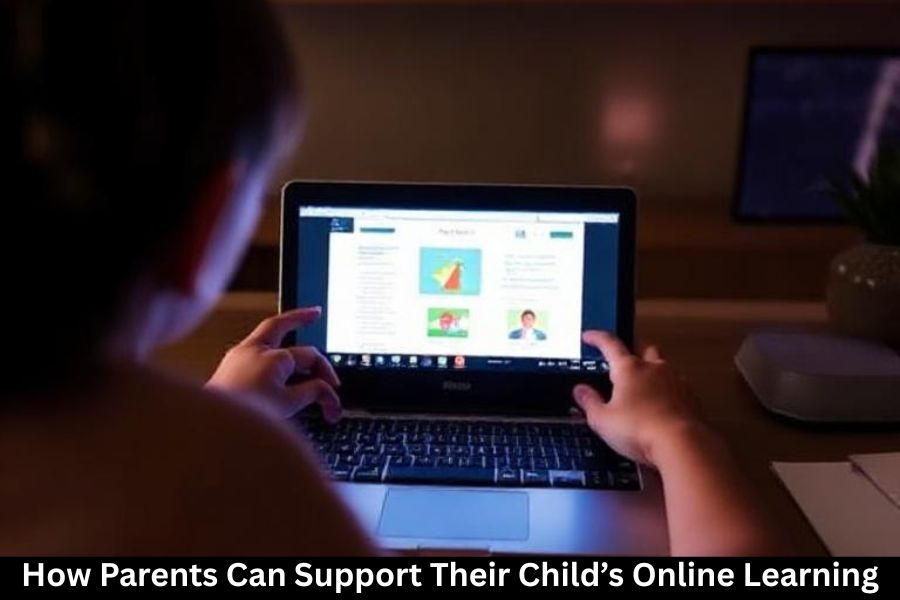
Online learning is no longer just a temporary solution—it has become a major part of how children learn today. While digital education offers flexibility and convenience, it also demands stronger involvement from parents. With the right guidance, you can help your child stay focused, motivated, and emotionally healthy during their online classes. Let’s break down simple but powerful ways you can support your child’s virtual learning journey.
Understanding Your Child’s Online Learning Needs
Identifying Their Learning Style
Every child has a unique learning style—visual, auditory, or kinesthetic. Understanding how your child absorbs information helps you adapt their learning environment. For example, visual learners may need charts, while auditory learners benefit from reading aloud or listening to lessons again.
Setting Clear Academic Expectations
Kids thrive when they know what’s expected of them. Discuss goals, deadlines, and responsibilities. Keep it simple and achievable so they don’t feel overwhelmed.
Creating an Effective Learning Environment
Choosing the Right Study Space
Your child needs a quiet, tidy, and organized space where they can stay focused. Ideally, this should be away from the TV, noisy siblings, and heavy foot traffic.
Minimizing Distractions at Home
Distractions can be learning’s worst enemy. Set basic rules—like no phone during class or silence during study hours.
Noise Control Tips
- Use noise-canceling headphones
- Keep the door closed
- Play soft background music if it helps concentration
Organizing Study Materials
Dedicate a drawer or box for school supplies, flash drives, chargers, and notebooks. When everything has a place, learning becomes smoother.
Setting Up the Right Technology
Ensuring a Stable Internet Connection
A good internet connection is the backbone of online schooling. Investing in a reliable Wi-Fi plan saves your child from disruptions.
Updating Software and Devices
Regular updates ensure smoother performance and protect the system from bugs.
Using Parental Controls Safely
Parental controls help block unsuitable content and limit social media during class time. Just make sure not to restrict access to essential educational tools.
Building a Consistent Schedule
Setting a Daily Routine
Kids need structure. A routine helps them know when it’s time to study, rest, eat, or play.
Including Breaks and Physical Activity
Breaks refresh the mind. Encourage your child to stretch, walk, or engage in quick exercises between classes.
Maintaining a Healthy Sleep Cycle
A rested mind learns better. Ensure they get 8–10 hours of sleep depending on age.
Staying Involved in Your Child’s Learning
Monitoring Assignments and Progress
Offer support without micromanaging. Checking in daily or weekly keeps things on track.
Helping With Time Management
Teach your child simple tools like planners, sticky notes, or digital reminders.
Maintaining Communication With Teachers
Stay in touch with teachers to understand your child’s progress, behavior, and learning needs.
Encouraging Independence and Responsibility
Teaching Children to Self-Regulate
Teach them to track tasks, avoid distractions, and recognize when they need help.
Letting Them Solve Problems First
Avoid jumping in instantly. Give them a chance to figure things out—this builds confidence.
Rewarding Independent Efforts
Celebrate when they complete tasks alone. It boosts motivation and responsibility.
Supporting Mental and Emotional Well-Being
Recognizing Signs of Stress
Online learning can feel isolating. Watch for mood swings, irritability, or lack of enthusiasm.
Encouraging Open Conversations
Ask questions like:
“What was the best part of your class today?”
“Is something bothering you?”
Practicing Mindfulness Together
Deep breathing, journaling, or short meditations can calm the mind and reduce anxiety.
Healthy Online Habits
Teaching Digital Etiquette
Explain why manners matter—even on screen. Proper greetings, muting microphones, and respectful behavior are important.
Setting Screentime Limits
Not all screen time is educational. Set limits for games and entertainment.
Safe Browsing Rules
- No clicking unknown links
- Avoid chatting with strangers
- Always ask before downloading anything
Cyberbullying Awareness
Teach your child to report hurtful messages or suspicious activity immediately.
Helping Children Stay Motivated
Celebrating Small Wins
Whether it’s finishing an assignment or improving a grade, small celebrations keep motivation high.
Making Learning Fun
Use quizzes, games, videos, and creative projects to make learning exciting.
Using Positive Reinforcement
Encourage your child with praise, rewards, or simple high-fives—it makes a huge difference.
Social Interaction in Online Learning
Encouraging Virtual Study Groups
Group learning helps with understanding and reduces loneliness.
Scheduling Safe Offline Playtime
Kids need offline socialization too. Arrange meet-ups with safety in mind.
Parental Challenges and How to Manage Them
Balancing Work and Child Supervision
Try coordinating your schedule with theirs. Even short daily check-ins help.
Avoiding Over-Involvement
Guide, don’t control. Let your child learn through mistakes—it builds resilience.
Managing Tech Frustrations Calmly
Technology issues will happen. Stay calm and help your child troubleshoot step-by-step.
Conclusion
Supporting your child’s online learning is about balance, patience, and structure. With the right environment, routines, and emotional backing, your child can thrive academically and personally. Remember, you’re not just helping them learn—you’re preparing them for a future where digital skills are essential.
FAQs
1. How can I keep my child focused during online classes?
Create a quiet study space, set clear rules, and remove unnecessary distractions.
2. How many hours of screen time are healthy for kids?
Follow age-wise guidelines, but balance school hours with limited recreational screen time.
3. What should I do if my child feels overwhelmed by online school?
Talk to them, adjust their schedule, and consult teachers for additional support.
4. Should I sit next to my child during online classes?
No, unless they’re very young. Encourage independence while staying available for help.
5. How do I manage work while supervising my child’s online learning?
Use coordinated schedules, set routines, and teach your child time-management skills.